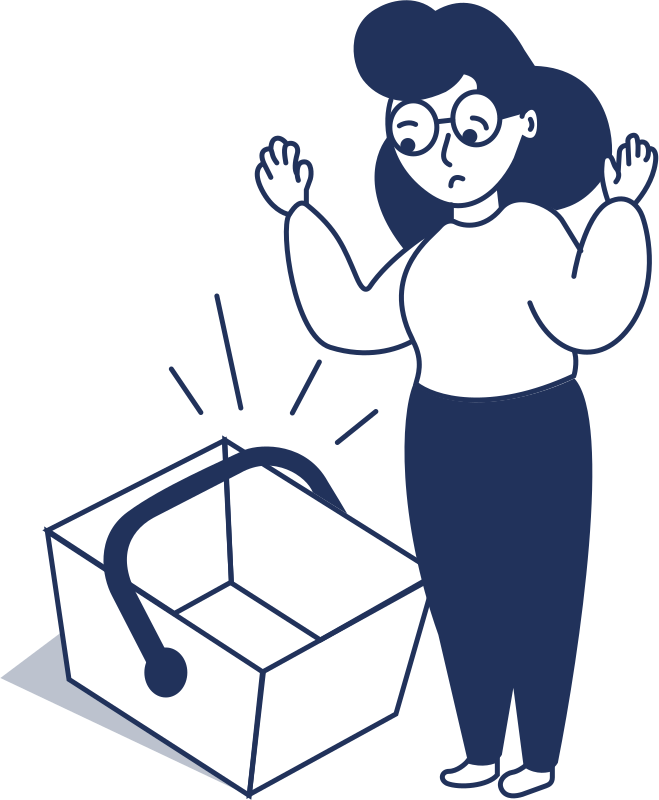
You split up at the top of the lift. Your teen wants the trees, your youngest is in the lesson area, and your partner is chasing one more run before lunch. For the next couple of hours you check the map on your phone every few minutes, and you still wonder whether someone's phone has died or someone has ducked a rope. Most families want to hear about a problem when it happens without having to watch the map all day.
Safety alerts in the MountainMap app are built for that. If something about a family member looks off, the app tells you on its own. Nobody has to check.
What safety alerts do
Safety alerts are notifications about a family member that the app sends without anyone asking. They cover three situations:
- Gone quiet: a family member's phone has sent no location update for a set length of time.
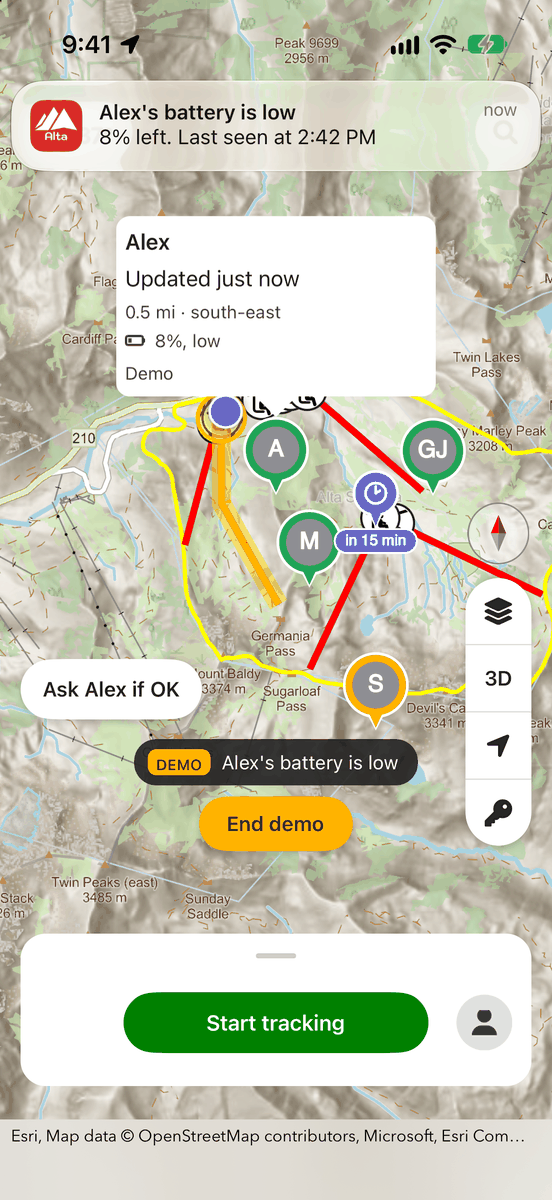
- Low battery: their phone's battery is running low.
- Out of bounds: they have gone outside the ski area boundary.
Your own phone warns you too. It tells you when your battery is low and when you go outside the boundary, with this message: "You're outside the ski area boundary. This area isn't patrolled. Your family can still see where you are." So the skier who slipped under the rope gets the warning, and so does the family.
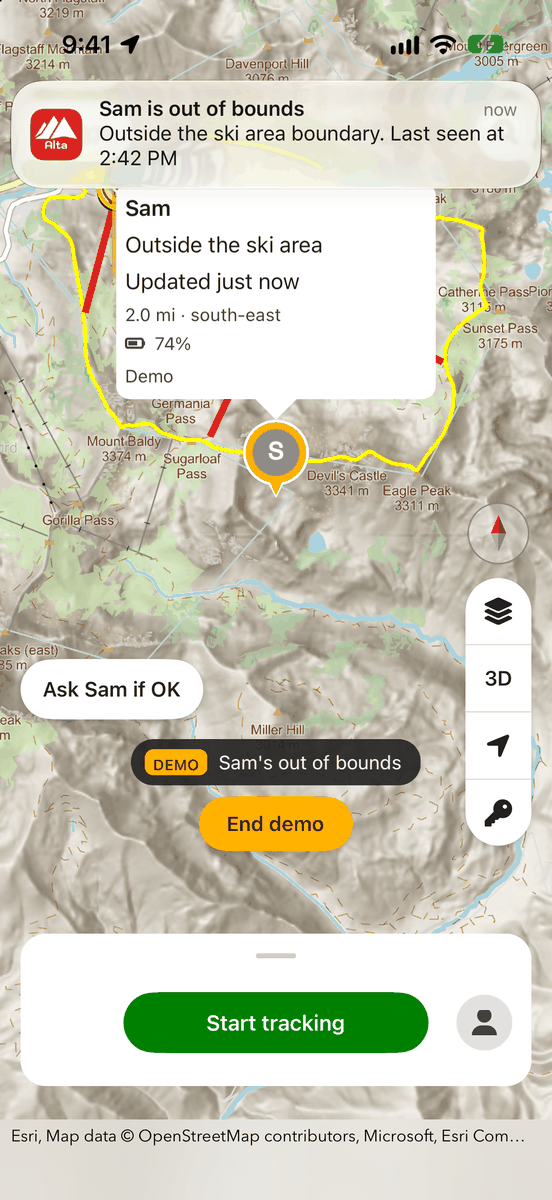
Each alert comes once per episode, not over and over. Tap it and the app takes you to that person on the map. Out-of-bounds family members show in orange on the family map, and people whose location is out of date show in red.
Safety alerts work on iOS and Android in each resort app. For example, they work in the Alta Mountain Map app and the Brighton Mountain Map app. They come with the Family membership, which costs $59.99 a year.
How to set it up
- 1. Join a family in the app and allow notifications.
- 2. Keep location sharing turned on so your family's phones can see you. Everyone you want alerts about needs to be sharing too.
- 3. When an alert arrives, tap it to jump to that person on the map.
- 4. To change when alerts fire and who gets them, open the Family page, tap the gear and go into that person's safety settings.
When each alert fires
Every family member has a profile (Adult, Teen or Kid), and the profile sets the default thresholds. You can also choose Custom for any one person.
Gone quiet fires after 20 minutes without an update for an Adult, 15 minutes for a Teen and 10 minutes for a Kid. Custom lets you pick anywhere from 5 to 60 minutes. Here's an example: a child's phone stops reporting for 10 minutes in the trees. The parents get an alert and can tap Ask if OK.
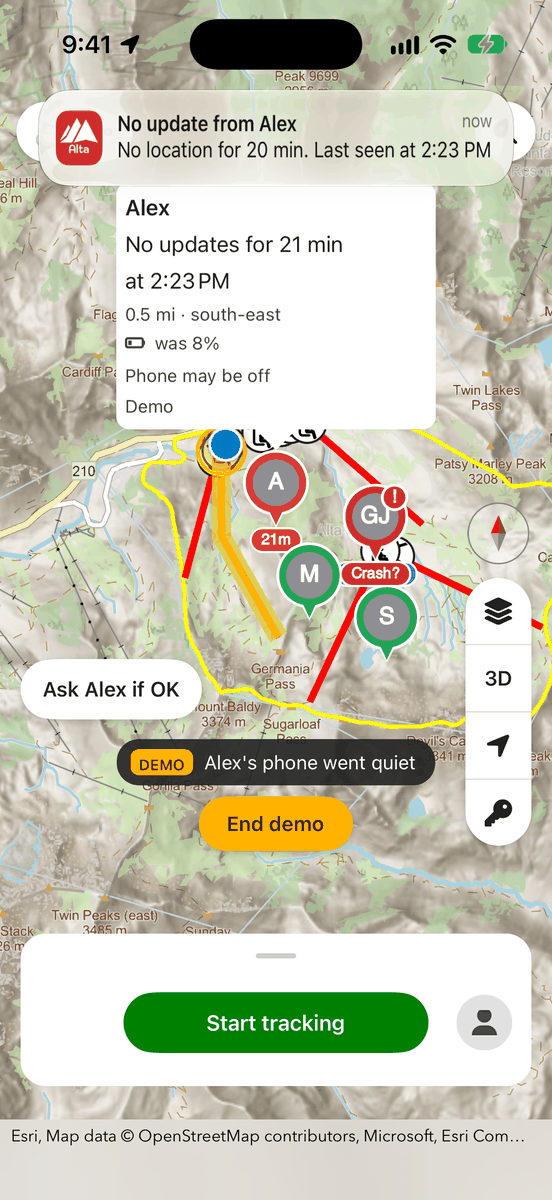
A gone-quiet alert doesn't mean something is wrong. Usually the phone has lost signal or the battery has died. Treat it as a reason to check in, not a reason to panic.
Low battery fires at 10% for an Adult, 15% for a Teen and 20% for a Kid. Custom lets you turn it off or set it anywhere from 10% to 30%. For example, a teen's phone drops to 15% after lunch. The parents get a low-battery alert while there's still time to find a charger or agree on a meeting spot.
Out of bounds fires when someone is outside the ski area boundary but within 3 km of it. Farther than 3 km counts as having left the resort, not as being out of bounds.
Tips and limits
- No repeat alerts: you won't get the same alert about the same person again within an hour, so one problem doesn't flood your phone.
- Signal matters: each family member's phone works out the alerts from everyone's shared positions, so your phone needs signal to notice them. When the app is sharing in the background, it checks on the family every few minutes.
- Muting stops alerts: if you mute someone for today on your phone, your phone won't send safety alerts about them.
- Sharing is required: you won't get alerts about anyone who isn't sharing their location.
- Choose who gets told: a person's safety settings control the thresholds and also who receives each alert. For example, only parents could get a kid's alerts.
- Apple Watch: the watch app (watchOS 10 or later, paired with the iPhone app) shows each person's state in its family list. You'll see things like "Last seen 25 min ago" or "No updates for 2 h · battery was 5%", along with a ring colour. The watch doesn't send alerts of its own. Alerts only reach your watch the way watchOS mirrors iPhone notifications.
Safety alerts are part of a larger set of automatic alerts in the app, along with Crash check, Stopped moving, Kid zone and Harder-run alert. None of them guarantees anyone's safety. They don't replace supervising children, agreeing on a plan before you split up, or ski patrol. They're one more way to find out sooner that you should check on someone.
Getting started
If you're planning a family day in Little Cottonwood Canyon, Alta vs. Snowbird: Which Little Cottonwood Resort Fits You? can help you pick a mountain. Then download the resort app for where you're skiing, join or create a family with the Family membership, and allow notifications. Ask everyone to keep sharing on, and set the thresholds for each person before you get on the first lift.